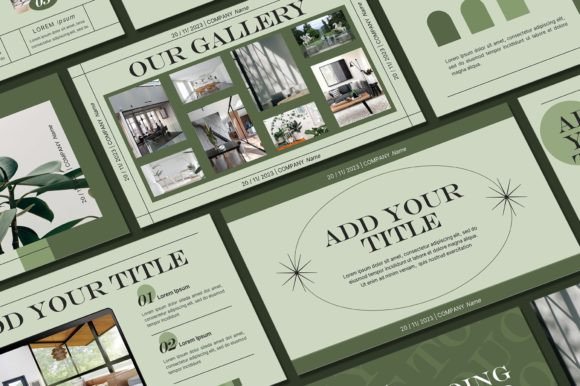
SAGE PowerPoint Template: Elevating Your Visual Presentations
When you're preparing a presentation that needs to make an impact, the template you choose sets the entire tone. The SAGE PowerPoint Template from Sky Creation offers a collection of 55 unique slides designed to help professionals, creatives, and entrepreneurs build polished, visually cohesive presentations without starting from scratch. What makes this template stand out isn't just its slide count—it's the thoughtful design approach that balances aesthetic appeal with practical functionality.
Understanding the Visual Character of SAGE
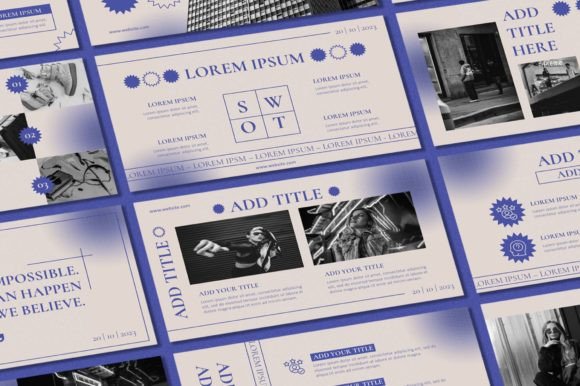
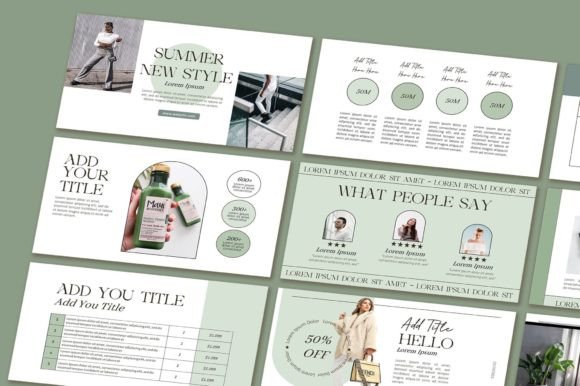
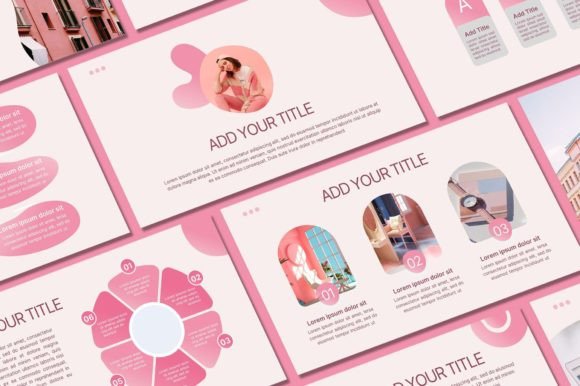
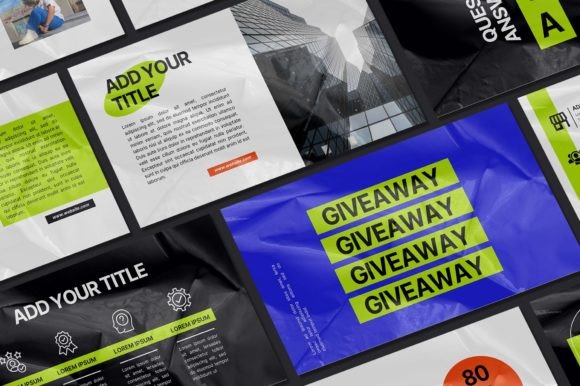
SAGE carries a clean, contemporary aesthetic that feels both professional and approachable. The design language leans into modern typography principles, using carefully selected typefaces that maintain readability while adding visual interest. Each slide demonstrates an understanding of visual hierarchy—headings command attention, body text remains legible, and supporting elements create rhythm without clutter.
The overall personality of this PowerPoint template strikes a balance between sophistication and warmth. It avoids the sterile, corporate feel that many templates fall into, while also steering clear of overly playful designs that might undermine credibility. This middle ground makes SAGE particularly versatile. Whether you're pitching to investors, presenting quarterly results, or sharing a creative portfolio, the template adapts to your content rather than forcing your content into rigid formatting.
The included demo pictures give you a sense of how the layout works with real imagery, and the 16:9 aspect ratio ensures your presentations look sharp on modern displays and projectors. With over 400 free icons included, you have substantial design assets at your disposal to illustrate concepts, create infographics, and add visual breaks between sections.
Where This Template Works Best
Think about the presentations you've sat through—the ones that held your attention versus the ones where you checked your phone halfway through. The difference often comes down to visual consistency and thoughtful design choices. SAGE PowerPoint Template addresses both concerns by providing a cohesive framework that guides your audience's eye naturally through your content.
For entrepreneurs and small business owners, this template works exceptionally well for investor pitches, business plans, and client proposals. The professional polish signals that you take your work seriously, which influences how stakeholders perceive your brand identity before they even process your words. When your slides look intentional, your ideas carry more weight.
Designers and content creators will find value in using SAGE for portfolio presentations, project case studies, and creative briefs. The editable graphics mean you can customize every element to match your personal aesthetic or your client's brand guidelines. Swap background colors, adjust text colors, and replace placeholder images with your own work to create something that feels authentically yours.
Marketers and bloggers can leverage this PowerPoint template for campaign presentations, content strategy decks, and partnership proposals. The slide variety—55 unique layouts—means you won't run out of fresh ways to present data, tell stories, and guide discussions. Having multiple layout options prevents the monotonous repetition that makes audiences disengage.
Corporate teams benefit from the template's adaptability for training materials, onboarding documents, and internal communications. The consistent design framework ensures that multiple team members can contribute to a single presentation without it looking disjointed. When everyone works within the same template, the result feels unified rather than assembled from mismatched pieces.
Customization That Actually Matters
One of the practical strengths of SAGE is its editability. You're not locked into someone else's color palette or font choices. The template is built so you can modify text and text color, swap fonts, adjust background colors, add your own photographs, and incorporate your logo. This level of customization is essential because a template should serve as a starting point, not a constraint.
When you open the PowerPoint file, you'll find that all graphics are editable—meaning you can resize, recolor, and reposition elements to suit your specific needs. This matters more than people initially realize. A presentation about a tech startup should feel different from one about a boutique bakery, even if both use the same underlying template structure. Editable graphics give you that flexibility.
The process is straightforward. After purchasing and downloading the file through the provided Google Drive link, install the recommended fonts on your computer, open the PowerPoint file, and begin customizing. The included demo pictures show you what's possible, but your presentation will truly come alive when you replace them with images that reflect your actual content and brand.
Practical Tips for Getting the Most from SAGE
Before diving into customization, spend a few minutes reviewing all 55 slides. Understanding the full range of layouts available helps you plan your presentation structure more effectively. You might discover a particular slide design that perfectly frames a key point you want to emphasize.
Consider your font choices carefully. While SAGE comes with suggested typefaces, you can substitute fonts that align with your existing brand identity. If your brand uses a specific serif font for headings and a sans serif font for body text, apply those consistently throughout the presentation. Consistency in typography reinforces brand recognition and creates a more professional impression.
When adding your own photographs, pay attention to image quality and composition. The template layouts are designed with specific visual proportions in mind, so images that match those proportions will integrate more naturally. Low-resolution or poorly composed photos can undermine even the best template design.
Use the 400+ included icons strategically. They work well as visual anchors for key points, as section dividers, and as supporting elements in data-heavy slides. However, resist the temptation to use too many icons on a single slide. Visual restraint keeps your presentation clean and ensures your audience focuses on your message rather than decorative elements.
Important Considerations
A few practical notes worth mentioning. You'll need a PC or laptop with Microsoft PowerPoint installed to work with this template. The design files are copyrighted to Sky Creation and intended for personal use—they cannot be resold or redistributed. If you have questions about the template or need assistance, the creator is available through Etsy messaging, which provides a direct line for support.
Ultimately, the SAGE PowerPoint Template represents a practical design resource for anyone who regularly creates presentations. It saves significant time compared to building slides from scratch while providing enough flexibility to produce presentations that feel custom-designed. The combination of 55 unique slides, extensive icon library, full editability, and contemporary design sensibility makes it a worthwhile addition to your collection of design assets—whether you're a seasoned designer or someone who simply needs to present ideas clearly and professionally.